The most common question in every Viirtue AI Voice Agents demo is not about how the agent sounds. It is about how it connects. Can it reach our EHR? Does it work with our CRM? Can it actually book appointments on a live calendar? The short answer is yes -- but through different methods depending on what you are connecting to and how much control you need. Those methods are the AI voice agent integrations, and they determine whether an agent can do real work or just hold a conversation.
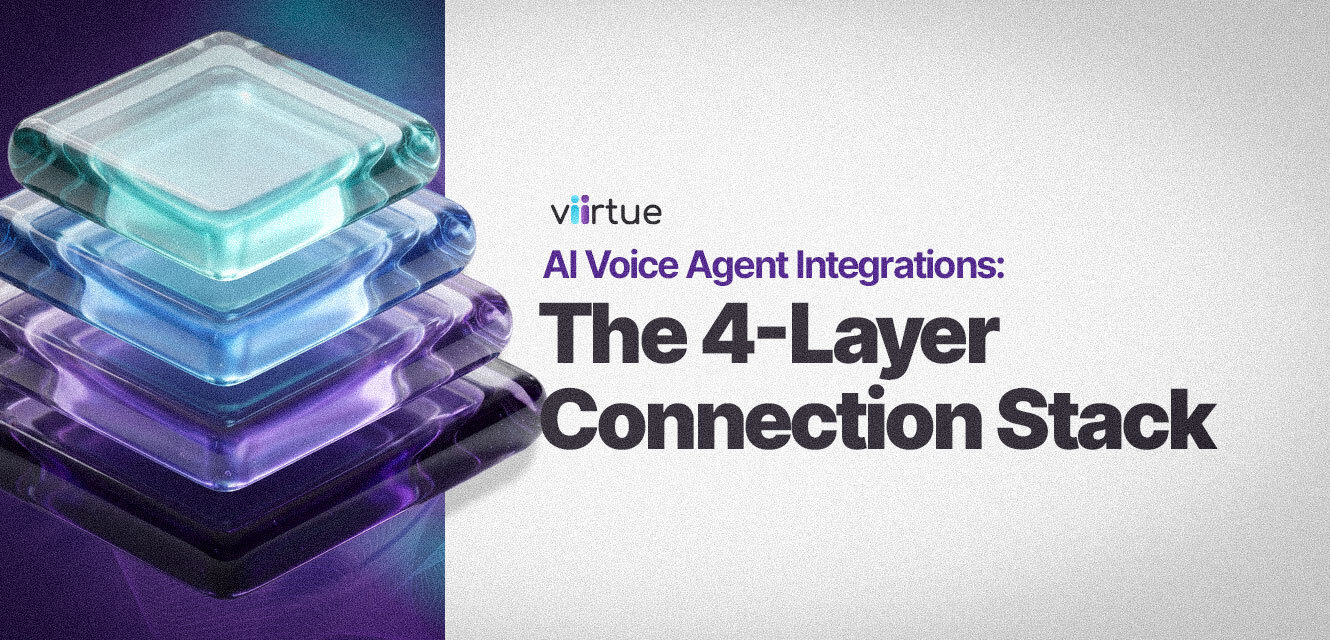
Viirtue's framework for answering this question is the 4-Layer Connection Stack. It organizes every integration type from least to most technical, maps to a crawl-walk-run adoption sequence, and applies across every deployment scenario partners encounter in the field. This guide explains each layer in plain terms, so resellers and their customers can match the right method to the job from day one.
TL;DR
Crawl, Walk, Run: How to Think About AI Voice Agent Integrations
Most integration projects fail because teams try to run before they crawl. They spend the first two weeks building a custom CRM connection, hit authentication complexity, and stall before the agent ever handles a real call. The faster path is to start with what is already built, ship a working agent, learn how it behaves in production, then layer in more complex connections once the fundamentals are solid.
Crawl, walk, run maps directly to the four integration layers. The crawl layer is built-in connectors that require no code. The walk layer adds workflow automation through Zapier and n8n. The run layer covers the Model Context Protocol for system-to-system connections and native phone-system control for account management by voice. Nothing you build on the crawl layer is wasted when you move to the run layer -- the platform supports all four simultaneously.
The crawl-walk-run sequence is not just onboarding advice -- it is a deployment risk management strategy. Agents that go live on Layer 1 and expand from there consistently outperform projects that attempt full-stack integrations from day one.
The 4-Layer AI Voice Agent Integration Stack
The 4-Layer Stack is Viirtue's framework for organizing AI voice agent integrations from least to most technical. Each layer solves a different class of problem. The table below shows the full picture at a glance.
| Layer | Name | What It Connects To | Setup Effort | Stage |
|---|---|---|---|---|
| 1 | Built-In Integrations | Google Calendar, Outlook, EHR systems (e.g., ModMed) | Minutes, no code | Crawl |
| 2 | Workflow Automation | Zapier, n8n, and thousands of connected apps | Low, visual builders | Walk |
| 3 | Model Context Protocol | External CRMs, specialty EHRs, custom internal tools | Moderate, technical | Run |
| 4 | Native Phone-System Control | The NetSapiens-powered UCaaS backend itself | Built in | Run |
← Scroll to see full table on mobile
Layer 1: Built-In Integrations
CrawlBuilt-in integrations are pre-connected applications that Viirtue's AI Voice Agents links to directly from the AI Agents module, with no code and no third-party tooling required. The current list includes Google Calendar, Microsoft Outlook (calendar and email), and electronic health record systems such as ModMed, with additional connectors added over time.
Connecting a scheduling agent to Google Calendar takes three steps: choose Google Calendar, select your account, and grant permission. From that point, the connection is live and the agent can read and write to your calendar according to the rules defined in the agent instructions. Most teams complete this in under five minutes.
This is where the majority of AI receptionist scheduling use cases live. For a healthcare front desk, that means an agent booking patient appointments against a live EHR. For a professional services firm, it means consultations scheduled on a shared Outlook calendar with no human in the loop. The authentication and data-access complexity is already handled by the platform, so the deployment effort goes into agent behavior rather than plumbing.
Layer 1 is where most resellers should start every deployment. It covers the highest-volume use cases -- scheduling and EHR access -- with zero integration overhead. If a customer's primary need is AI receptionist scheduling, Layer 1 alone may be everything they need.
Layer 2: Workflow Automation with Zapier and n8n
WalkWorkflow automation connects Viirtue's AI Voice Agents to the thousands of applications reachable through Zapier and n8n -- the two leading visual automation platforms. Both let you build event-driven workflows without writing backend code. n8n is the self-hostable, developer-friendly counterpart to Zapier, making it the better fit for MSPs who manage their own infrastructure or work with customers who prefer data to stay on-premises.
This layer bridges the gap between the simple built-ins and fully custom system connections. If a tool is not on the built-in list but has a Zapier or n8n connector, you can wire it to the agent here. A call that ends with a qualified lead can automatically create a pipeline record. A booked appointment can fire a confirmation SMS and assign a follow-up task in a PSA. A support call can open a ticket and route it to the right team.
For the step-by-step mechanics of connecting Viirtue's AI Voice Agents through Zapier and n8n -- including how to set up MCP toolboxes in each platform -- see the step-by-step Zapier and n8n integration guide. This section covers the strategic layer; that guide covers the tactical execution.
Layer 2 is where AI voice agents stop being a demo feature and start removing repetitive work from a customer's day. If a customer already uses Zapier or n8n for other automation, the agent fits directly into that existing motion with minimal lift from your team.
Layer 3: Model Context Protocol (MCP)
RunThe Model Context Protocol is an open standard that gives an AI agent a consistent way to connect to external tools and data sources -- often by adding a single server URL. Introduced by Anthropic in late 2024, MCP has become the common language for giving AI agents access to systems they were not pre-built to understand.
In practical terms, MCP lets the agent reach systems that have no built-in connector and no Zapier integration: a proprietary CRM, a specialty EHR that handles a specific vertical, or an internal database that has never been exposed through a standard API. The setup is usually simpler than it sounds. If the target system has an MCP server -- and the list of systems that do is growing quickly -- the connection is a URL drop-in and the agent gains structured access to that system's capabilities.
This is the layer that makes the platform open-ended rather than limited to a fixed app list. AI voice agent CRM integration through MCP means the agent can read contact records, log call outcomes, and update pipeline stages in real time during a call -- without the customer having to switch systems or the reseller having to build a custom API bridge.
MCP is the integration layer that unlocks vertical-specific deployments. Healthcare, legal, finance, and other fields with specialty software can connect through MCP without custom development work. If a customer's critical system has an MCP server, the path to a fully integrated AI voice agent is shorter than most buyers expect.
Layer 4: Native Phone-System Control
RunNative phone-system control is the integration that lets end users manage their telephony account by talking to the AI voice agent. It is possible because Viirtue's AI Voice Agent runs on the same carrie-grade voice network-powered UCaaS backend that powers the phone system itself -- not alongside it, not bolted to it, but inside it.
This is the layer that surprises most buyers. Because the agent already lives within the platform, an end user can call the bot and instruct it to update a password, change answering rules, or adjust call routing -- all without logging into the PBX portal. The phone system becomes self-service by voice. For business owners and remote teams who interact with their phone system infrequently, this removes a support burden that typically falls back on the reseller.
Layer 4 also matters for resellers who bundle ViiBE into the partner stack. Because billing, provisioning, and the phone system all share the same backend, AI voice actions stay within a single auditable environment rather than crossing system boundaries that create compliance and billing gaps.
Connect, Then Instruct: The Principle Behind Every Layer
Making the connection is one job. Telling the agent how to use it is a separate job, and it is the one most teams underinvest in. The connection grants access. The agent instructions define behavior. A calendar connection without well-written instructions will book meetings in ways that frustrate users and generate support tickets. The connection is the plumbing; the instructions are the judgment.
Consider a scheduling agent connected to Google Calendar. The connection grants access to the calendar. The instructions decide the actual behavior:
- Only book 30-minute blocks -- do not schedule 90-minute meetings without explicit approval.
- Leave a 10-minute buffer between meetings so the day is not back-to-back.
- Never double-book or overlap existing events.
- Decline booking requests outside defined availability windows.
Those rules are not part of the connection. They live in the agent instructions and apply regardless of which layer the agent is connected through. The same pattern holds for a CRM connection through Zapier, an EHR connection through MCP, or phone-system settings through Layer 4. Connect first, then instruct, every time.
The tuning guide for MSPs goes deep on writing effective agent instructions across all four integration layers. It is the natural companion to this framework.
How to Connect a Scheduling Agent to Google Calendar
- Open the AI Agents module in the Manager Portal.
- Choose Google Calendar from the built-in integrations list.
- Select your account and grant the agent permission to access the calendar.
- Write the agent instructions that define meeting length, buffers, and availability rules.
- Test the agent against real booking requests before going live.
The full 1-hour walkthrough of AI voice agent integrations, including live demos of Zapier, n8n, and MCP configuration, is available in the webinar below.
How Viirtue Differs from AI-Only Tools and Mainstream UCaaS
The structural difference between Viirtue and the rest of the AI voice market comes down to where the agent lives. AI-only tools like Bland, Vapi, Retell, and Synthflow can hold a conversation, but they sit outside your phone system. To do anything operational, you stitch them to your PBX, your billing platform, and your CRM yourself -- and you maintain those connections indefinitely. Every integration is your problem, and every platform update is a potential breaking change.
Mainstream UCaaS platforms have the phone system, but they treat resellers as a secondary channel and rarely expose the kind of native agent control described in Layer 4. The agent and the phone system are separate products that happen to share a vendor.
Viirtue gives partners a full-stack platform: AI Voice Agents native to the NetSapiens-powered backend, four integration layers from no-code to MCP, and ViiBE for quote-to-cash, usage rating, and telecom tax automation underneath it all. Integration is not an afterthought bolted onto a voice product. It is how the platform was designed.
| Capability | Viirtue's AI Voice Agents | AI-Only Tools | Mainstream UCaaS |
|---|---|---|---|
| Built-in calendar & EHR connectors | Yes | Varies | Rare |
| Zapier / n8n workflow automation | Yes | Yes (most) | Limited |
| Model Context Protocol (MCP) support | Yes | Some | No |
| Native phone-system control (Layer 4) | Yes | No | No |
| White-label resale with billing included | Yes (ViiBE) | No | Partial |
| Telecom tax automation | Yes | No | No |
← Scroll to see full table on mobile
For a full breakdown of how Viirtue compares to AI-only platforms and mainstream UCaaS across buying criteria that matter to resellers, see the buyer's guide for IT resellers.
AI Voice Agent Integrations and the MSP Partner Opportunity
AI voice agents are no longer judged on how well they speak. Buyers evaluate them on what they can reach and what they can actually do inside the systems a business already runs. The 4-Layer Connection Stack gives partners a clear, repeatable framework for that conversation: start on Layer 1 to ship something fast, add Layer 2 to connect the workflow tools your customers already use, use Layer 3 for the systems with no off-the-shelf connector, and let Layer 4 make the phone system self-service by voice.
The partner economics follow the same logic. Resellers on the Viirtue white-label VoIP platform are not selling a voice feature. They are selling a connected, billable, compliant AI voice infrastructure that their customers cannot easily replicate or walk away from. Integration depth creates stickiness. Stickiness protects margin. And ViiBE handles the quote-to-cash and telecom tax automation that keeps those margins clean as the customer base scales.
If you want to see the four layers in action against your own customer use cases, Viirtue's partner program is the starting point. It is built for MSPs and IT providers who want to own the AI voice revenue line, not refer it out to someone else's platform.
FAQ: AI Voice Agent Integrations
What are AI voice agent integrations?
AI voice agent integrations are the connections that let a voice AI act inside external business systems such as calendars, CRMs, EHRs, and the phone system. Without integrations, an agent can only talk. With them, it can schedule, update records, and manage accounts.
How do I connect an AI voice agent to Google Calendar?
Connect an AI voice agent to Google Calendar by opening the AI Agents module, choosing Google Calendar, selecting your account, and granting permission. Then write agent instructions that define meeting length, buffers, and availability so the agent books the way you want.
Can an AI voice agent connect to my CRM or EHR?
Yes. Built-in integrations cover common systems like Google Calendar, Outlook, and EHRs such as ModMed. For systems without a built-in connector, the Model Context Protocol lets the agent connect to most CRMs and EHRs, usually by adding a server URL.
What is the Model Context Protocol in an AI voice agent?
The Model Context Protocol (MCP) is an open standard that lets an AI agent connect to external tools and data through a consistent interface. It allows a voice agent to reach systems it was not pre-built for, often by dropping in a single server URL.
Do I need to code to integrate an AI voice agent?
No, not for most use cases. Built-in integrations and Zapier or n8n workflows require no code. Coding or technical setup only comes into play for the deepest custom connections through MCP.
What is the difference between connecting an agent and instructing it?
Connecting an agent grants it access to a system. Instructing it defines when, how, and whether it uses that access. A calendar connection gives access; the instructions decide that the agent books only 30-minute blocks with 10-minute buffers.